







0 Record(s)
common-we-found-results-matching "0" in 0 ms
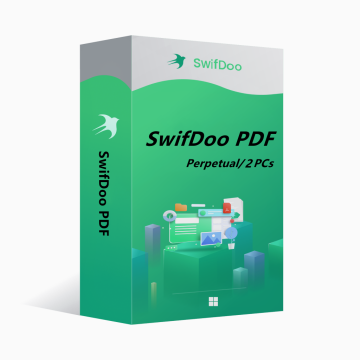
SwifDoo PDF Perpetual Plan 2PCs Perpetual CD Key Global
-18%
New Hot

SwifDoo PDF Perpetual Plan 2PCs Perpetual CD Key Global

SwifDoo PDF is an all-in-one PDF editor. The program actually contains a lot of other PDF tools. Along with the editor feature, there are a variety of options to convert PDFs into more editable formats such as Word and PowerPoint files, and you can save space by combining individual PDF documents into one file.
Show All Content
154.23USD 187.19USD
Platform:
PC
Region:
Global
Tags:
Antivirus & Security
Stock:
In Stock
1-500
How to activate?

You may also like

More

SwifDoo PDF is an all-in-one PDF editor. The program actually contains a lot of other PDF tools. Along with the editor feature, there are a variety of options to convert PDFs into more editable formats such as Word and PowerPoint files, and you can save space by combining individual PDF documents into one file.

Key features of SwifDoo PDF include:

View and edit PDF documents.

Compress PDF documents.

Convert PDF files to other formats.

Split and merge multiple PDF files.

Sign and password protect PDF documents.

Add/Remove watermarks to PDF documents.

OCR


OS: Win 11, 10, 8, 7, and XP (32 & 64)

License Type: 1 license for 2 PCs


The activation code is the "Perpetual" license, which supports 2 PCs with no version upgrade protection. In such case, you need not to pay additional fee to upgrade the current version to each later version in the span of a lifetime.

To install SwifDoo PDF:

Run the setup program -> Accept License Agreement -> Select destination location -> Follow the installation guide -> Finish


Online Registration

After acquiring a SwifDoo PDF license key, visit and login the user center at https://www.swifdoo.com/usercenter and a Redeem-Code window pops up. At this time, you need to copy the activation code you received and paste it into the Redeem-Code box, then press Submit. By doing these, you have finished online registration.


Notes

For a successful registration, please make sure no blank is left in any location of the activation code.

How long will it take to receive the key after purchase? Where can I find it?
The key will be delivered automatically within 3-5 minutes. You can find it in "My Purchased Orders".
What should I do if my key fails to activate?
There are various reasons for activation failure. The most common issue is incompatibility between your system and the purchased key. Please first check if your system version (such as Windows Pro edition) meets the key requirements. If the problem persists, contact our 24/7 online customer service, and we will help you replace the key promptly.
How to apply for a refund or exchange?
To apply for a refund or exchange, please contact our 24/7 online customer service and provide the following information: • Your order number • Relevant screenshots (e.g. activation failure prompt, purchase details, etc.) We will process your request as soon as possible.
How long does a refund take to arrive?
Refunds for PayPal payments are usually processed instantly. For bank or credit card payments, funds generally take 7-10 working days to arrive, depending on your bank’s processing time and local regulations. Feel free to contact our support team anytime if you have questions about your refund status.
About Returns and Exchanges
Please activate your license within 180 days after purchase. Free key replacement is available for any issues occurring within this period.